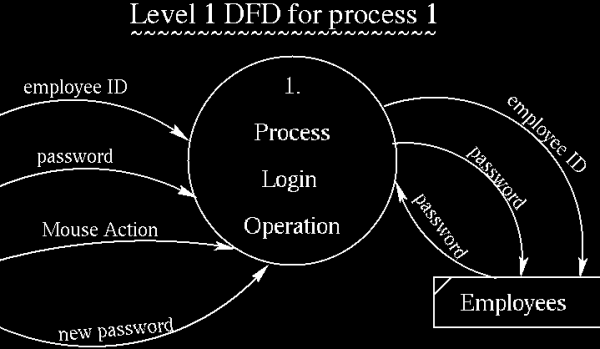
To prevent intruders from getting into the system, each user is required
to go through a login process before logging onto the system.
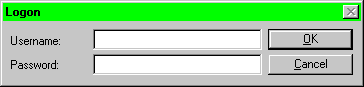 When the system starts up, the user is presented with the window named
"Logon." It contains two fields - Username and Password. The user has
to fill in the Username field.
When the system starts up, the user is presented with the window named
"Logon." It contains two fields - Username and Password. The user has
to fill in the Username field.
A correct entry of Username and Password results in the Main Menu
being displayed. However, an incorrectly entered Username and Password
results in a dialogue box being displayed which reads "Invalid Username or
Password" and then it returns the "Logon" window with both fields cleared.
The user might click on the Cancel botton if he/she wants to clear all
entries.
Note that when the password is entered, asterisks are displayed instead
of the entered characters.
